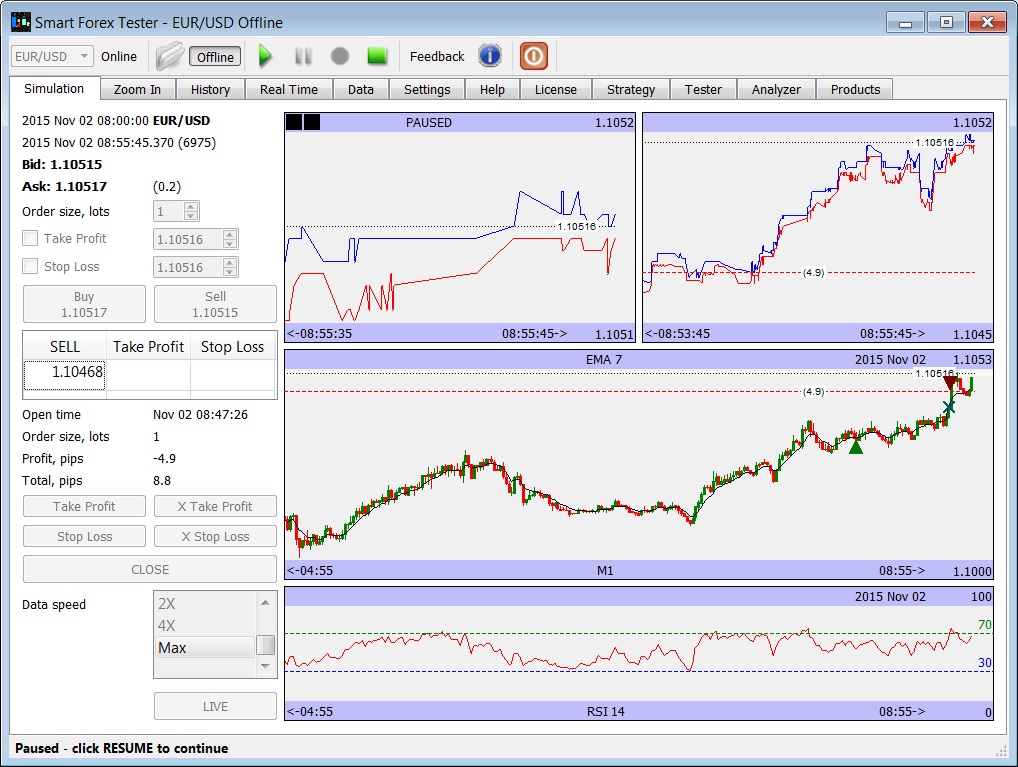
The Smart Forex Tester Suite usability is drastically improved starting from the release we published today (Build ID: 1805.2010.26).
Instead of multiple data feed control buttons scattered on different tabs, now we have the toolbar that is visible from every tab. Here’s how it looks:
smart Forex Tester usability improved
To make the user experience even better, we also added the Online and Offline buttons to select the data source.
To test on the live market data feed, press Online button. The currency pair selector becomes active. Select a pair.
To back test on historical data, press Online button. Click the File icon and select a tick data file. You can also try sample prices available on Data tab. Select the date and time when to start the test.
Now, the test data is ready.
If you want to practice manual trading, this is all you need – just press the green Play button and data feed will start. You can pause and stop the data feed from any tab.
If you want to test an automated strategy, go to the Strategy tab and prepare your trading automation code and then start the data from the Tester tab. In this case the feed will run at maximum speed and the test report will be shown.
The pivot points you can investigate on the Analyzer tab – former PPA (i.e. Pivot Points Analyzer). We renamed it for clarity.
Note that the actions described above depends on the license installed. Check the inbuilt help for details.